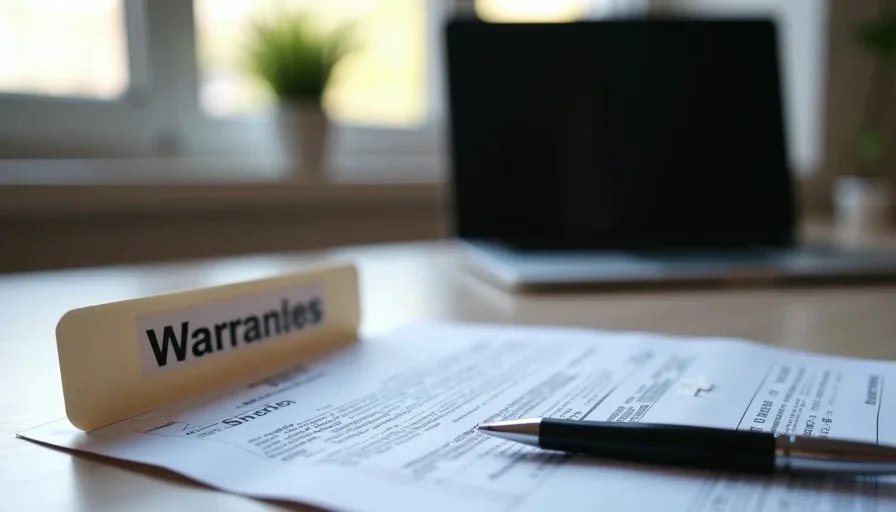
Warranty information and proof of purchase are only useful if they can be found when something breaks, needs service, or is eligible for return. Most households receive these documents at the moment of purchase and then lose track of them within weeks. Creating a simple, consistent place to keep warranty information and proof of purchase turns a recurring frustration into a short, finished task.
I began emphasizing this category of household digital paperwork after watching people spend hours searching email, paper piles, and old shopping accounts for a receipt that would have taken thirty seconds to file on the day it arrived. The pattern was consistent: the document existed, yet the system for retrieving it did not. A modest amount of structure prevents that search.
What Counts as Useful Warranty and Purchase Records
Not every receipt needs permanent storage. The records that matter are those tied to items with ongoing value or potential service needs. Typical examples include:
Phones, tablets, laptops, and computers
Major appliances and televisions
Tools, cameras, and electronics with multi-year coverage
Furniture or equipment that carries an extended warranty
Any item still within a return or exchange window
For each of these, the useful documents are the original proof of purchase (receipt or order confirmation), the warranty terms or registration confirmation, and any extended-service contracts. Serial numbers and model information already captured on the household device list complement these files and should be kept in the same ecosystem.
Choose One Primary Home for the Records
The most common failure is scattering the same type of document across multiple locations—email, photo roll, paper drawer, cloud folder, and shopping-account history. When a claim is needed, no one remembers which location was used for that particular item.
A single primary home solves the problem. The home can be digital, paper, or a combination, provided the household knows which one is authoritative. Many families succeed with a dedicated cloud folder named “Warranties & Proof of Purchase” that sits alongside the household account map and device list. Others prefer a labeled binder or file box for paper originals and use the digital folder only for scans and email confirmations.
Either approach works. What matters is consistency. Once the primary home is chosen, every new warranty document and proof of purchase is moved there on arrival rather than left in the inbox or downloads folder.
A Practical Capture Habit That Fits Real Life
The moment a new item arrives is the easiest time to file its documents. A short sequence keeps the habit light:
Locate the email receipt or paper receipt.
Save or scan it into the primary warranties folder.
Add the model and serial number to the device list if the item is a device.
Note the warranty end date in a simple list or calendar reminder if the coverage period is long.
Delete or archive the temporary copy so it does not remain in downloads or the camera roll.
This sequence takes only a few minutes and prevents the document from entering the general clutter stream. When the purchase is made in a physical store, photographing the receipt and filing the image the same day is usually sufficient.

Handling Email Receipts and Online Order Histories
Many purchases now exist primarily as email confirmations or entries inside retailer accounts. These records are convenient until the account is closed, the email is deleted, or the retailer’s history display changes. Relying solely on the retailer’s website or the original email thread creates a fragile system.
A more durable approach is to download or save a PDF copy of the receipt into the primary warranties folder at the time of purchase. The retailer’s account can remain as a secondary reference, but the household’s own copy becomes the one that is searchable years later. The same logic applies to warranty registration confirmations that arrive by email.
Paper Documents and Hybrid Systems
Some warranties and proof-of-purchase documents still arrive on paper, especially with larger appliances or in-store electronics purchases. Paper originals can be stored in a single labeled section of a household file box or binder. Scanning or photographing them into the digital folder creates a backup and makes the information available without opening the physical file.
A hybrid system is often the most practical. Paper originals stay in one known place for situations that require them. Digital copies live in the shared folder for everyday reference and for household members who may not have access to the physical file. The device list and household account map can include a one-line note about where the physical folder is kept.
Linking Warranties to the Rest of the Household System
Warranty records gain value when they connect to other pieces of digital paperwork. The device list already holds serial numbers and model names; adding a note about the warranty folder location or the coverage end date creates a complete picture. When a repair or replacement is needed, the serial number, proof of purchase, and warranty terms can be retrieved together.
The same records support insurance claims after loss or damage. Having the proof of purchase and serial number already gathered shortens the process and reduces the chance of incomplete information submitted under time pressure.
These connections do not require complex software. A consistent folder and a few cross-references in the existing household documents are enough.
Periodic Review Without Turning It into a Project
Warranties expire. Items are sold, given away, or recycled. A light annual review keeps the folder from becoming a graveyard of irrelevant files. During a digital reset, open the warranties folder and remove records for items no longer owned or whose coverage has long ended. The review rarely takes more than fifteen minutes once the folder is in order.
The same session can confirm that new purchases from the past year have been filed. The habit of capture at the time of purchase makes the annual cleanup small.
Starting the System This Week
Create a single folder—digital or physical—named for warranties and proof of purchase. Move any existing receipts and warranty documents you can already locate into that folder. Add a one-line note to the household device list or account map that records where the folder lives. The next time a new item arrives, file its documents before the receipt disappears into email or the downloads folder.
That small sequence establishes a durable home for information that is otherwise easy to lose. Future claims, repairs, and returns become administrative tasks rather than scavenger hunts.
Reset one small thing, then get on with your life. Deciding where to keep warranty information and proof of purchase is one of the more practical small things a household can complete.