
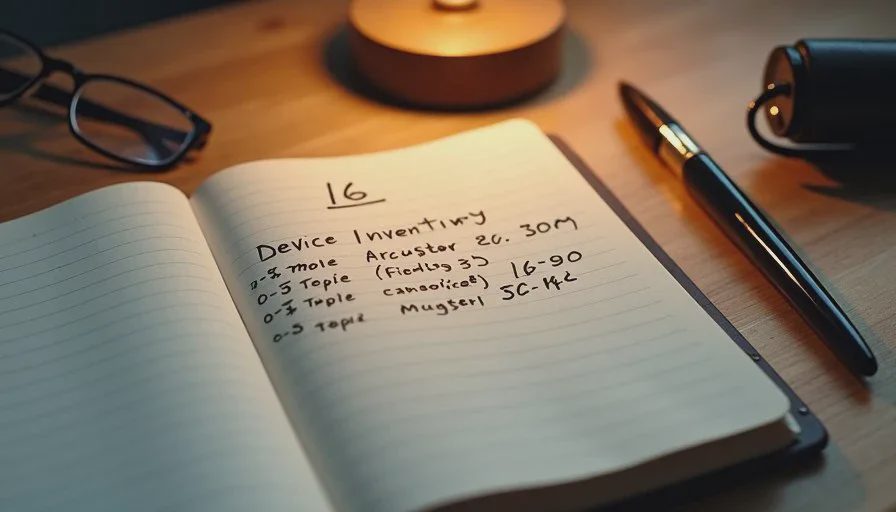
A device list is one of the simplest and most useful pieces of household digital paperwork. It records the phones, tablets, laptops, and other key devices the household currently uses, along with the basic details needed when something is upgraded, lost, repaired, or retired. Building the list before the next phone or laptop upgrade turns a potentially chaotic transition into a predictable sequence of steps.
I began recommending this inventory after watching the same problems repeat during device replacements. A new phone arrives, the old one is wiped, and only afterward does someone realize that a two-factor authentication method, a payment card, or an important app login lived only on the device that is now blank. A short written list prepared in advance prevents most of those discoveries from happening at the worst possible moment.
What Belongs on a Household Device List
The list does not need to include every gadget in the house. It focuses on the devices that hold accounts, photos, authentication methods, or work-related access. Typical entries include:
Primary and secondary smartphones
Tablets used for shared family tasks
Laptops and desktop computers
Any dedicated work devices that travel between home and office
For each device, the useful fields are limited and practical:
Device type and common name (for example, “Mom’s iPhone” or “Kitchen iPad”)
Model name or number
Serial number or IMEI
Operating system version if known
Main Apple ID, Google account, or Microsoft account signed in
Notes about what important data or authentication methods live primarily on that device
Serial numbers and IMEI numbers are especially valuable for insurance claims, warranty service, and carrier support. They are usually found in the device settings or on the original packaging. Recording them once saves a scavenger hunt later.
Why the List Matters Most During an Upgrade
Upgrading a phone or laptop feels routine until the moment the old device is erased. At that point any information that was never transferred becomes difficult or impossible to retrieve. Common casualties include:
Authenticator apps that generate two-factor codes
Payment cards and transit cards stored only on the old phone
App-specific logins that were never added to a password manager
Local photos or documents that never completed their backup
Wi-Fi passwords and VPN configurations saved only on that device
A current device list surfaces these dependencies while the old hardware is still working. The upgrade checklist can then include deliberate steps to move or document each item before the wipe occurs. The result is a cleaner handoff and far less post-upgrade scrambling.
The same list also helps when a device is lost or fails suddenly. Insurance and carrier support almost always request the serial number or IMEI. Having those details already written down shortens the conversation and reduces the chance of errors made under stress.
How to Build the List in One Short Session
Set aside thirty to forty-five minutes. Work through one device at a time while it is still powered on and unlocked.
Open the settings menu and locate the model name, serial number, and primary account. On most phones these details sit under General, About, or the equivalent. Write them down or type them into a simple table. Add a brief note about any unique role the device plays—primary two-factor device, kids’ media tablet, work-only laptop, and so on.
If original boxes or purchase receipts are still available, cross-check the serial numbers and add the purchase date or warranty status. That information belongs with the rest of the household digital paperwork and can live in the same document as the device list.
Store the finished list in a place that is secure yet findable: a locked drawer, a password-protected note, or the same secure location used for the household account map. The list itself does not contain passwords, so the risk is lower than a full credential store, but it still deserves basic protection.

Keeping the List Current Without Extra Work
A device list becomes outdated the moment a new phone is activated or an old tablet is retired. The maintenance habit can stay light. Whenever a device is added, replaced, or permanently removed, open the list and update the relevant line. A twenty-minute Sunday digital reset is a natural time to make the change.
Some households add a quick annual review: confirm that every listed device still exists, update operating-system notes if desired, and remove entries for hardware that has been recycled or given away. The review rarely takes more than fifteen minutes once the initial list is complete.
Linking the Device List to Other Household Systems
The device list gains power when it connects to the rest of the household’s digital paperwork. Each device entry can reference the main account used on that hardware, which in turn links to the household account map. If a phone is the primary two-factor device for several important logins, that dependency can be noted so a future upgrade includes a deliberate transfer of those authentication methods.
Warranty information and proof of purchase can live in the same document or in an adjacent folder. When a repair or replacement is needed, the serial number, purchase date, and supporting documents are already gathered. The same logic applies to insurance claims after loss or damage.
These connections do not require complex software. A single well-organized note or spreadsheet is enough for most households. The value lies in the information being written down and kept together rather than in any particular tool.
A Practical Upgrade Sequence That Uses the List
When the next phone or laptop upgrade arrives, the device list turns into an action checklist:
Confirm that the current device’s serial number and main account match the list.
Identify every important function that lives primarily on the old device.
Transfer or document each function while the old device is still active.
Complete the data migration to the new device.
Verify that critical apps, authentication methods, and files are present and working.
Only then wipe or retire the old hardware.
Update the device list with the new hardware details and archive the old entry.
Following this sequence converts an upgrade from a hopeful copy process into a controlled handoff. The written list supplies the memory that no one should have to keep entirely in their head.
Starting Your Device List This Week
Choose the two or three devices the household relies on most. Open each one, locate the model and serial number, and write them down along with the primary account. Add a one-line note about any unique role the device plays. Store the page or file with the rest of the household digital paperwork.
That single session produces a foundation that will be used many times—during the next upgrade, after a loss, or when a warranty question arises. Future digital resets can keep the list current with almost no extra effort.
Reset one small thing, then get on with your life. Building a device list before the next upgrade is one of the highest-leverage small things a household can complete.