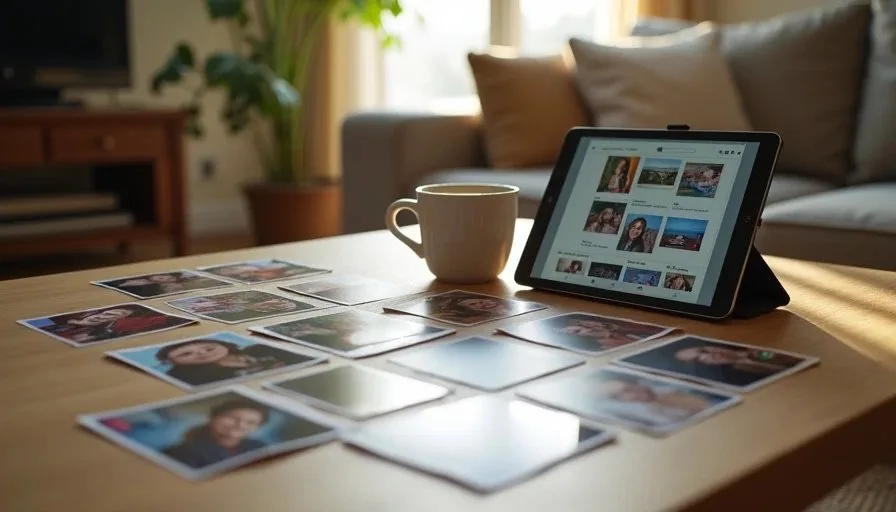
Most family photo libraries fail for the same reason: they are designed for an ideal version of the household rather than the one that actually exists. A family photo system people will actually use is built around short habits, obvious places for new pictures, and permission to keep the structure simple. The goal is not a museum-quality archive. The goal is a library that continues to receive new photos and remains searchable years later.
I have watched many households start with ambitious folder trees, elaborate tagging schemes, or multiple apps that promised to solve everything. Within months the new system was abandoned and photos piled up again in camera rolls and chat threads. The systems that survived were the ones that asked less of the people using them and made the next correct action obvious.
Start with the Way Photos Already Arrive
Photos enter a household through several predictable channels: the camera on each phone, messages from relatives, shared albums from school or events, and occasional downloads from email or cloud links. A usable system begins by naming those arrival points and deciding what happens next.
The simplest workable pattern is a single primary library that receives everything important, plus a short holding area for items that still need a decision. The primary library can live in iCloud Photos, Google Photos, or a well-organized folder structure on a computer. What matters is that every adult in the household knows where “the real photos” live and how a new picture gets there.
When the arrival path is unclear, photos stay in the temporary places where they first appeared. Camera rolls grow. Message threads become informal archives. The family photo system never receives the images it was meant to hold.

Choose One Primary Home and Stick with It
Multiple competing libraries are one of the most common sources of friction. One person saves to the phone’s camera roll. Another uploads to a shared Google album. A third keeps an external drive that is rarely updated. Over time no one is certain which collection is complete.
Selecting one primary home reduces that uncertainty. The choice can be guided by the devices the family already uses most. An Apple-heavy household may find iCloud Photos the path of least resistance. A mixed-device family may prefer Google Photos or a computer-based library that everyone can access. The best choice is the one that requires the least extra behavior change.
Once the primary home is chosen, the other locations become secondary. They can still hold temporary copies or shareable albums, but they are no longer treated as the official archive. This single decision eliminates a large amount of future confusion.
Make the Next Step Obvious for New Photos
A system people will use must answer a simple question the moment a new photo appears: where does this go right now? If the answer requires opening multiple apps, creating new folders, or remembering an elaborate naming scheme, the photo will stay where it is.
Practical households often succeed with a very short set of rules:
Recent everyday photos stay in the primary library’s main stream or “Recents.”
Event or trip photos are moved into a simply named album once the event is over.
Photos that arrive via message are saved to the primary library within a day or two.
Screenshots and temporary images are deleted or filed elsewhere so they do not pollute the library.
These rules can live on a note taped near the charging station or in a shared family message. The point is that the next action is known in advance rather than reinvented each time.

Shared Access Without Shared Chaos
Families need ways to share photos without turning the primary library into an unmoderated free-for-all. Shared albums or collaborative folders work well for specific events or for grandparents who want ongoing access. The primary library itself can remain under the control of one or two adults who accept responsibility for the structure.
Clear ownership prevents the situation in which everyone can add and delete and no one feels responsible for the overall order. It also makes backup and recovery decisions simpler because the authoritative copy has a known location and a known caretaker.
Build Habits That Fit Real Schedules
Ambitious weekly photo-organization sessions rarely survive contact with school calendars, work deadlines, and ordinary fatigue. The habits that last are smaller and tied to existing routines.
One effective pattern is a ten-minute review during the Sunday digital reset. The review asks only three questions: Are last week’s photos in the primary library? Do any events need a simple album? Is the independent backup still current? Completing those checks keeps the system from drifting without demanding a long block of time.
Another helpful habit is to process message-based photos while the conversation is still recent. Saving the image to the primary library takes less effort than hunting for it months later. The same logic applies to photos taken on a second phone or camera: a quick transfer before the device is put away prevents a future scavenger hunt.
Keep Backup Linked to the System
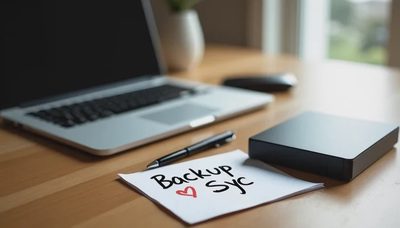
A family photo system is only as durable as its backup. The primary library should have at least one independent copy that does not automatically mirror deletions. That copy can live on an external drive, a second cloud service, or a computer folder that is not synced back into the main library.
The backup does not need to be updated daily. A monthly or quarterly check during a digital reset is sufficient for most households. What matters is that the copy exists and that someone has verified it can be opened. The device list and household account map can record where the backup lives so the information is not stored only in one person’s memory.
What a Sustainable System Looks Like After Six Months
After half a year of consistent but modest use, a working family photo system usually shows these characteristics:
New photos reach the primary library within a few days.
Event albums exist for the trips and occasions the family cares about.
Temporary and duplicate images are periodically cleared.
An independent backup has been verified at least once.
Adults in the household can find a recent photo without asking one another where it might be.
The library will not be perfect. Some photos will still sit in message threads. Some albums will be named inconsistently. Those imperfections are normal. The system is successful if it continues to receive photos and remains usable without heroic effort.
A Practical Starting Sequence
This week, choose the primary home for the family’s photos. Confirm that every adult knows where it is. Move one recent batch of photos from phones or messages into that home. Create one simple album for a recent event if it helps. Note the location of any existing independent backup, or create a first copy if none exists.
That sequence establishes the foundation. Future digital resets keep the system current with small, repeatable actions rather than occasional large cleanups.
Reset one small thing, then get on with your life. A family photo system people will actually use is built from exactly those small, repeatable things.