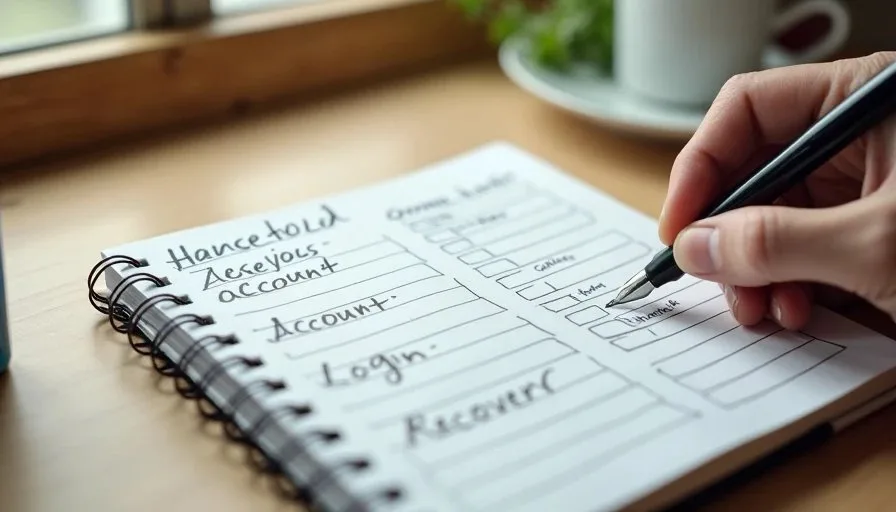
A household account map is simply a clear record of the online accounts that keep a family or small household running, along with the basic information needed to regain access if something goes wrong. Most people never create one until they are locked out of an email account, cannot reset a password, or need to help a family member who is traveling or unwell. Building the map in advance turns a future emergency into a manageable task.
I began recommending this step after years of watching the same recovery problems repeat. People could remember the password for a rarely used shopping site but had no idea how to regain access to the primary email that controlled everything else. Others had set up two-factor authentication years earlier and then lost the phone that held the codes. The household account map does not solve every problem, but it gives you a starting point that is far better than starting from zero under pressure.
What Belongs on a Household Account Map
The map does not need to list every website you have ever visited. It focuses on the accounts that would cause real trouble if they became inaccessible. Typical high-priority categories include:
Primary personal and household email accounts
Banking, credit card, and investment logins
Cloud storage and photo libraries
Password manager (if one is already in use)
Utility, insurance, and government portals that require occasional access
Shared family accounts such as streaming services or household shopping accounts
Any work-related accounts that a household member manages from home
For each account, the useful information is limited and practical: the email address or username used to log in, where the recovery email or phone number is registered, whether two-factor authentication is turned on, and any notes about who in the household currently has access. You do not need to store the actual passwords on the map itself. The map points you to the recovery path; a password manager or secure personal record handles the credentials.

Why Most Households Skip This Step
Creating an inventory feels unnecessary until the day it is needed. People assume they will remember the details or that the service will make recovery easy. In practice, recovery often requires access to a secondary email that itself has been forgotten, a phone number that has changed, or a security question answered years earlier.
Another common reason is the fear that writing the information down creates a new security risk. That concern is understandable. The solution is not to avoid the map; it is to keep the map itself protected. Many households store a printed version in a locked drawer or safe and keep a digital copy inside an encrypted note or password manager. The map contains recovery pathways, not the passwords themselves, which lowers the risk while still providing the information needed in an emergency.
I have seen families spend hours on the phone with support teams trying to reconstruct access that could have been documented in a single evening. The household account map is the cheapest insurance against that kind of afternoon.
How to Build the Map in One Sitting
Set aside forty-five to sixty minutes the first time. Later updates take far less. Use a simple table or list with these columns:
Account name or service
Login email or username
Recovery email or phone on file
Two-factor method (app, SMS, hardware key, or none)
Who in the household currently has access
Last verified date
Start with the three or four accounts that would cause the most disruption if locked. Primary email almost always belongs at the top because so many other services route recovery through it. Cloud photo libraries and financial accounts usually follow.
As you work, you will notice gaps. A recovery phone number that no longer belongs to anyone in the house. A two-factor method tied to an old device. An email address that was created for one purpose and then abandoned. Each gap becomes a clear next action for a future digital reset rather than an overwhelming project.
A Note on Shared and Legacy Access
Households often share access informally—someone knows the Netflix password, someone else can reset the router. The account map makes that informal knowledge explicit. It also creates space to think about what happens if the primary account holder is temporarily unavailable. Recording a trusted contact or secondary recovery method for critical accounts is not the same as full digital-legacy planning, but it is a practical first layer.

Keeping the Map Current Without Making It a Chore
An account map that is never updated becomes another form of outdated paperwork. The maintenance rhythm can stay light. Once a quarter, or whenever a major change occurs (new phone, new primary email, new financial account), open the map and verify the highest-priority entries. A twenty-minute Sunday digital reset is often enough for a focused update.
When an account is closed or no longer needed, mark it as retired rather than deleting the entry immediately. The historical note can be useful if an old service suddenly sends a reactivation email or if a family member needs to confirm that a particular login is no longer active.
Some households keep the map entirely on paper. Others prefer a secure digital note. Either approach works as long as the information is findable by the people who would need it and is not stored in the same place as the passwords themselves.
What the Map Does Not Replace
The household account map is an inventory and recovery aid. It is not a substitute for a password manager, strong unique passwords, or careful handling of two-factor codes. It also does not replace official account-recovery processes offered by each service. Its value lies in giving you the information those processes usually require—before you need it under time pressure.
It is equally important not to treat the map as a complete security audit. The goal is clarity and recoverability for the accounts that matter most to the household, not a comprehensive risk assessment of every login that has ever been created.
Starting Your Household Account Map This Week
Choose a quiet hour. Open a notebook or a secure digital document. List the four or five accounts that would cause the most trouble if access were lost tomorrow. Fill in the recovery details you already know. Note the gaps that need attention later. Protect the finished page or file the same way you would protect other important household records.
That single session gives you something most households lack: a clear picture of where the digital keys are kept and how to find them again. Future digital resets become easier because you already know which accounts deserve priority. When an access problem does appear, you start with information instead of guesswork.
Reset one small thing, then get on with your life. The household account map is one of the highest-leverage small things a family can complete.