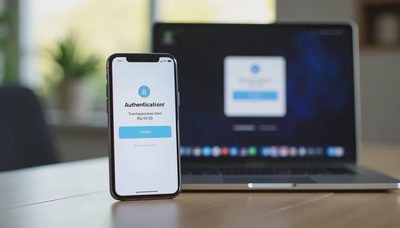
A trusted contact is a person you designate to help with account recovery or limited access if you are unavailable, locked out, or deceased. The role sounds straightforward, yet the actual permissions vary widely across services and are often misunderstood. Knowing what a trusted contact can and cannot do for your accounts prevents both false security and unnecessary risk.
I began paying close attention to this feature after helping households navigate lockouts and family transitions. In some cases a well-chosen trusted contact shortened a difficult recovery process by days. In others the designated person discovered they had far less authority than everyone had assumed. The difference usually came down to whether the permissions had been examined at the time of setup rather than during a crisis.
What the Trusted Contact Role Typically Allows
Across major platforms the trusted contact role is designed for assistance, not full control. Common capabilities include:
Receiving a recovery code or verification prompt when the primary account holder is locked out
Being notified that a recovery attempt is underway
In some legacy or memorialization features, requesting that an account be locked, memorialized, or data limited after the account holder’s death
Providing identity confirmation to the service’s support team when automated recovery fails
These functions can be genuinely useful. A spouse, adult child, or close friend who can receive a one-time code may be the difference between a short delay and a multi-day lockout. Legacy contacts on certain platforms can prevent an account from remaining active indefinitely or can help families download specific data when the time comes.
The key point is that these powers are limited and service-specific. They do not automatically grant login access, the ability to change passwords, or the right to read private messages.
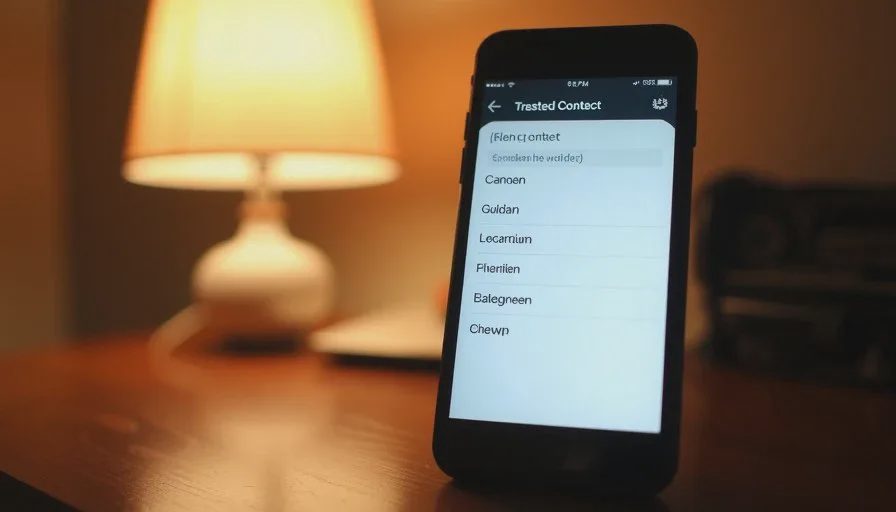
What a Trusted Contact Usually Cannot Do
Most trusted contact designations do not allow the contact to:
Sign in to the account with their own credentials
Reset the password independently
Read email, view photos, or access files without additional legal or platform processes
Manage payment methods or make purchases
Override two-factor authentication without the primary factor or backup codes
Some services offer separate features—shared account access, family groups, or full account recovery options—that go further. Those features are distinct from the basic trusted contact role and usually require explicit additional setup. Confusing the two leads to the common disappointment that the designated person “cannot do anything” when help is needed.
It is also important to note that a trusted contact cannot bypass the platform’s own identity verification. If the service requires government identification or other proof during a difficult recovery, the trusted contact’s status may support the request but does not replace it.
How Different Platforms Treat the Role
Apple, Google, Microsoft, Facebook/Meta, and major financial institutions each implement trusted or legacy contacts differently. Some allow the contact to request data after a waiting period. Others limit the contact to receiving recovery codes. A few combine the role with broader family-sharing or guardian features.
Because the rules change and differ by service, the only reliable approach is to check the current settings for each important account. The household account map is the practical place to record what each platform actually permits. A one-line note such as “Google: recovery phone + trusted contact can receive codes” or “Apple: Legacy Contact can request data after death” prevents later guesswork.

Choosing the Right Person
The ideal trusted contact is someone who is reachable, organized enough to keep recovery information secure, and unlikely to need the same help at the same time. Spouses and partners are common choices. Adult children, siblings, or a long-term friend can also serve well. Naming someone who lives far away or who is uncomfortable with technology often creates friction when the role is actually needed.
It is wise to have a brief conversation with the person before enabling the feature. Explain what the role does and does not allow. Confirm that they are willing to store any backup codes or instructions you provide. Surprise designations can leave the contact unprepared or unwilling to act.
Integrating Trusted Contacts into Household Systems
A trusted contact is most useful when it is documented alongside the rest of the household’s access information. The account map should list who has been named for each major service and what permissions that person holds. The device list can note which phone numbers are registered as recovery contacts. Backup codes and printed instructions can live in the same secure location as the rest of the household digital paperwork.
When devices are upgraded or phone numbers change, the trusted contact entries need the same review as any other recovery method. A twenty-minute digital reset once or twice a year is usually enough to confirm that the designations are still current and that the named people still have working contact information.
Limitations and Realistic Expectations
Even a well-configured trusted contact cannot solve every access problem. If two-factor authentication is tied solely to a lost device and no backup codes exist, the trusted contact may be unable to help. If an account was created with an obsolete recovery email and no secondary methods, the contact’s options remain limited. The feature is a helpful layer, not a complete safety net.
Legal processes for deceased account holders also sit outside the trusted contact role in many cases. Platforms often require a death certificate and formal requests before releasing data or closing accounts. The trusted or legacy contact can sometimes initiate or support those requests, yet the final decisions remain with the service.
A Practical Next Step
Open the security or account-recovery settings for your primary email. Check whether a trusted contact or legacy contact option exists. If it does, decide whether the current designation (or lack of one) still makes sense. Update the entry if needed, record what the contact can actually do, and note the information in the household account map.
Repeat the check for one additional high-value account—cloud storage or a financial login—during a future digital reset. Steady, limited actions build a clearer recovery picture without requiring a full audit in a single session.
Reset one small thing, then get on with your life. Understanding what a trusted contact can and cannot do is one of the more clarifying small things a household can complete.