
Most digital advice asks for more time than people have. The 20-minute Sunday digital reset is designed for the opposite reality: a short, focused block that improves one part of your digital life and then lets you close the laptop. This digital reset routine works because it stays small enough to repeat and specific enough to matter.
I developed the habit after noticing that large cleanup projects almost always stalled. A failed hard drive had already taught me that waiting until something breaks is expensive. A forgotten subscription had shown me that small leaks add up. The solution was not a perfect system. It was a repeatable twenty-minute window every Sunday evening that kept the most important pieces from drifting too far.
Why Twenty Minutes Works Better Than a Full Day
A full-day digital declutter sounds productive until life intervenes. Kids need rides, work emails arrive, or energy simply runs out. When the project is unfinished, the remaining tasks sit as a quiet reminder of what was not done. Over time that unfinished list becomes another form of clutter.
Twenty minutes is short enough that most people can protect it. It is also long enough to complete one meaningful action: empty the downloads folder, check a backup status, cancel one unused subscription, or confirm that a critical account still has a working recovery method. The limit itself is useful. When the timer ends, you stop. Progress is recorded. The rest of the evening belongs to something else.
The digital reset is not about reaching zero. It is about preventing the slow accumulation that eventually forces a crisis cleanup. Small, consistent attention keeps the system usable.
How to Set Up the Routine
Choose a consistent time. Sunday evening works for many households because the week has ended and the next one has not fully started. Some people prefer late Sunday morning. The exact hour matters less than the habit of showing up.
Keep a simple running list of possible resets. Examples include:
Clear the downloads folder and move anything that still matters
Check that the primary photo library is backed up in a second location
Review one month of recurring charges for forgotten subscriptions
Confirm recovery options for one high-value account
Update the household device list after a new phone or laptop arrives
Delete or archive old files from a shared family folder
Pick only one item for the current twenty minutes. Write it down before you start so the session has a clear finish line.
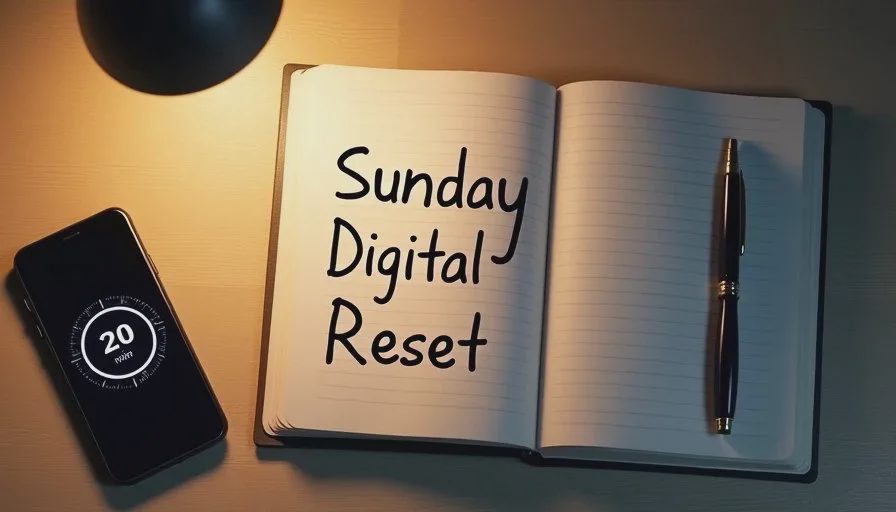
A Sample 20-Minute Session
Here is what a typical session can look like when the chosen task is the downloads folder.
Minute 1–2: Open the downloads folder and sort by date. Notice how many files are older than thirty days.
Minute 3–10: Move any documents, photos, or installers that are still needed into their proper places. Delete the rest.
Minute 11–15: Empty the trash or recycle bin so the space is actually freed.
Minute 16–18: Note anything that still needs a better home for a future session.
Minute 19–20: Close the folder and write a one-line record: “Downloads cleared, October 2026.”
The same structure works for other tasks. The key is to decide the finish line before the clock starts. If the task is larger than twenty minutes, break it into a smaller piece that fits the window.
What to Do When the Timer Runs Out
Stop. Even if the folder is not perfectly empty. The point of the digital reset is the habit of returning, not the illusion of permanent completion. Leaving a clear note about what remains makes the next session easier and prevents the feeling that nothing was accomplished.
People often push past the timer because the remaining work “looks quick.” That decision turns a sustainable routine into another open-ended project. Protecting the boundary is what allows the habit to survive busy weeks.
Choosing the Highest-Value Area First
Not every digital mess carries the same risk. A cluttered downloads folder is annoying. An unbacked-up photo library or an account with no recovery path is a bigger problem. When you sit down for the Sunday digital reset, ask one question: if this area failed tomorrow, how much trouble would it cause?
Start with the higher-stakes items more often. Photos, important documents, primary email access, and password recovery tend to rank higher than tidying desktop icons or deleting old screenshots. Once the higher-risk areas are in better shape, the lower-stakes cleanups become easier and less urgent.
This prioritization also reduces decision fatigue. You do not need to invent a new project every week. You simply look at the short list and choose the item that would hurt most if left alone.

Keeping the Routine Sustainable
Three practical habits help the 20-minute Sunday digital reset last beyond the first month.
First, keep the list of possible resets short and visible. A note on the fridge or a pinned item on the phone works better than a complicated digital task manager that itself needs maintenance.
Second, accept that some weeks the session will be interrupted. When that happens, do five minutes instead of twenty, or simply reschedule to the next available evening. The goal is continuity, not perfection.
Third, pair the reset with something already pleasant. A cup of tea, a quiet kitchen after dinner, or the same playlist each week can turn the twenty minutes into a small ritual rather than another obligation.
I still use the same approach. Some Sundays the reset is purely administrative—checking a backup status or updating a device list. Other Sundays it is more personal, such as sorting a batch of recent photos so they do not sit in an unsorted camera roll for another year. The common thread is the time limit and the decision to stop when it ends.
What This Routine Is Not
It is not a promise that digital clutter will disappear forever. New files arrive, new accounts are created, and life continues to generate digital residue. The routine simply keeps the residue from becoming unmanageable.
It is also not a productivity system that demands tracking every minute or optimizing every tool. The only metrics that matter are whether the chosen task was completed and whether the next session feels approachable.
Finally, it is not platform-specific. The same twenty-minute structure works whether the household uses iCloud, Google, a local hard drive, or a mix of all three. The focus stays on the outcome—files findable, photos protected, accounts recoverable—rather than on any single company’s recommended workflow.
Starting This Coming Sunday
Choose one small area. Set a timer for twenty minutes. Complete the action. Write a one-line note about what was done. Then stop.
That is the entire method. Over weeks and months the small resets compound. The downloads folder stays usable. The photo backup is verified more often than it used to be. Forgotten subscriptions surface before they renew again. None of these improvements require a heroic weekend. They only require a short, protected window and the willingness to treat digital maintenance like any other ordinary household task.
Reset one small thing, then get on with your life. The twenty-minute Sunday digital reset is simply a practical way to do exactly that.